
These are instructions for the setup of your Senso4s device if you want to replace your current gas cylinder with a new one. If you want to setup your device using refill option, please follow the following guide.
TRIN 0:
Når du er forbundet til din Senso4s-enhed, skal du trykke på ikonet for opsætning af gasflaske i nederste venstre hjørne af enhedens startskærm.

TRIN 1:
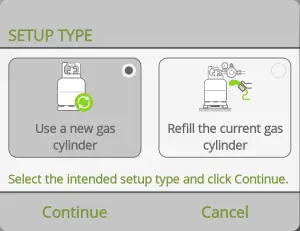
Tap Use a new gas cylinder and the tap Fortsæt.
TRIN 2:
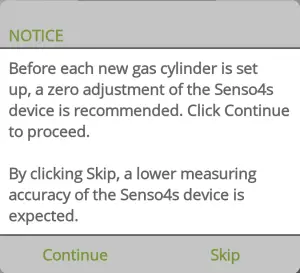
If the measurements of your Senso4s device are within the measuring accuracy, tap Skip to skip the zero adjustment step (move to Step 4). Otherwise, tap Fortsæt (move to Step 3).
TRIN 3:
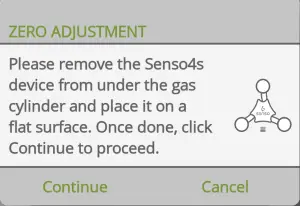
Fjern alt fra din Senso4s-enhed, og læg den på en plan overflade. Tryk derefter på Fortsæt for at udføre nulstilling, der sikrer, at målingerne er inden for måleusikkerheden.
STEP 4:
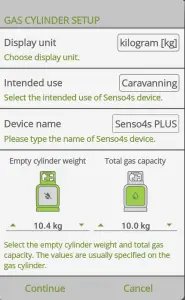
Select preferred display unit (kilogram or pound) and intended use (for illustrative purposes only), name your Senso4s device and fill in the Empty cylinder weight and Total gas capacity values. Both values are displayed on your gas cylinder – empty cylinder weight is most often embossed or stamped on the cylinder itself, whereas the total gas capacity is usually shown on a sticker attached to the cylinder. Du må ikke sætte din gasflaske på din Senso4s-enhed endnu. Når du er færdig, trykker du Fortsæt.
STEP 5:
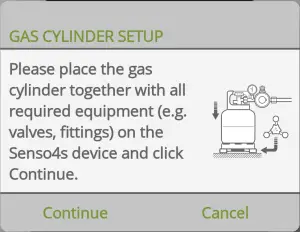
Til sidst skal du placere din gasflaske og alt det nødvendige udstyr (slange, ventiler osv.) på Senso4s-enheden – sørg for, at den samlede ekstra vægt ikke overstiger 2,5 kg. Når du er færdig, skal du trykke på Fortsæt. Hvis alle trin blev udført korrekt, bør du se den første måling.
If all steps were carried out correctly, you will see the first measurement and have successfully set up your Senso4s device with a new gas cylinder. If the setup failed, please check out our Fejlfinding guide.