
These are instructions for the setup of your Senso4s device if you want to replace your current gas cylinder with a new one. If you want to setup your device using refill option, please follow the following guide.
VAIHE 0:
Kun olet muodostanut yhteyden Senso4s-laitteeseesi, napauta kaasupullon asetuskuvaketta laitteen aloitusnäytön vasemmassa alakulmassa.

VAIHE 1:
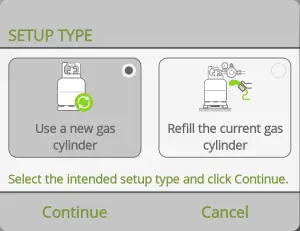
Tap Use a new gas cylinder and the tap Jatkuu.
VAIHE 2:
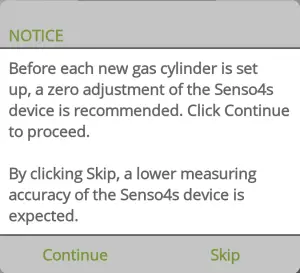
If the measurements of your Senso4s device are within the measuring accuracy, tap Skip to skip the zero adjustment step (move to Step 4). Otherwise, tap Jatkuu (move to Step 3).
VAIHE 3:
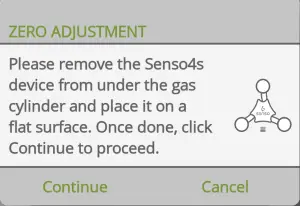
Poista kaikki tavarat Senso4s-laitteestasi ja aseta se tasaiselle alustalle, ja napauta sitten Jatkuu nollasäätöä varten, joka varmistaa mittausten olevan mittaustarkkuuden sisällä.
STEP 4:
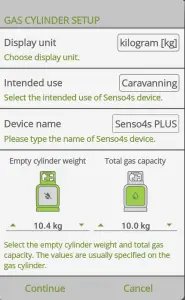
Select preferred display unit (kilogram or pound) and intended use (for illustrative purposes only), name your Senso4s device and fill in the Empty cylinder weight and Total gas capacity values. Both values are displayed on your gas cylinder – empty cylinder weight is most often embossed or stamped on the cylinder itself, whereas the total gas capacity is usually shown on a sticker attached to the cylinder. Älä aseta kaasupulloa vielä Senso4s-laitteeseesi. Kun valmis, napauta Jatkuu.
STEP 5:
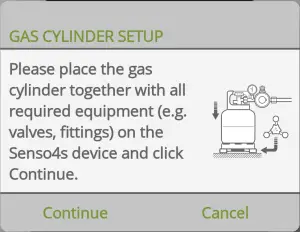
Aseta lopuksi kaasupullo ja kaikki tarvittavat varusteet (letku, venttiilit jne.) Senso4s-laitteelle – varmista, että lisämassan kokonaismäärä ei ylitä 2,5 kg:aa. Kun olet valmis, napauta Jatkuu. Jos kaikki vaiheet tehtiin oikein, ensimmäisen mittauksen pitäisi näkyä.
If all steps were carried out correctly, you will see the first measurement and have successfully set up your Senso4s device with a new gas cylinder. If the setup failed, please check out our vianetsäoppaat.